Shopify pricing plans come in four full-store tiers, and the differences sit in a long comparison table that makes it hard to tell which one your new store needs. We lay out what changes tier by tier (staff, fees, checkout control and locations), then name a plan for each kind of store. Every limit and fee comes from Shopify’s own pricing page and help center, linked so you can check the live numbers yourself.
Shopify Pricing Plans at a Glance
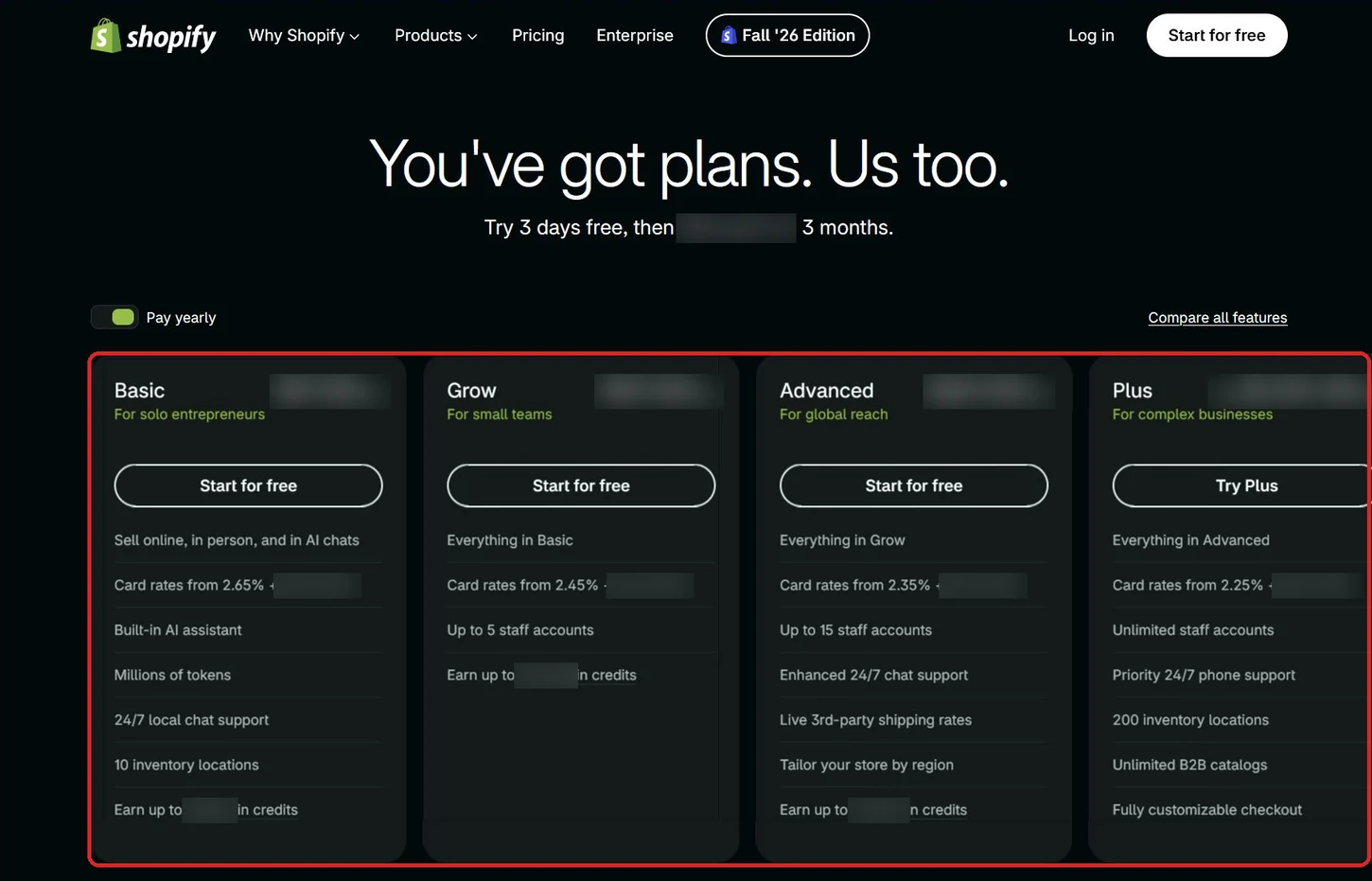
Shopify sells four full-store plans: Basic, Grow, Advanced and Plus. They run on the same store builder, and what separates them is a short list of limits, which the table below the plan cards sets side by side. Its fee column is the third-party transaction fee, the cut Shopify takes when you accept payment through a provider other than Shopify Payments, its own built-in payment service (an outside provider, for short).
| Plan | Staff accounts | Third-party transaction fee | Checkout customization | Inventory locations |
|---|---|---|---|---|
| Basic | 0 | 2% | Limited | 10 |
| Grow | 5 | 1% | Limited | 10 |
| Advanced | 15 | 0.6% | Limited | 10 |
| Plus | Unlimited | 0.2% | Full | 200 |
In 2026, Shopify pricing plans run from roughly $29 to $399 a month in USD for Basic through Advanced, depending on the plan and whether you pay monthly or yearly, and Plus starts at $2,300 a month. For the exact monthly and yearly figure on each plan, and the full comparison table behind the rows above, check Shopify’s pricing page.
Collaborator accounts and POS-only staff logins do not count toward the staff limit on any plan. Shopify’s help center keeps a plan-by-plan table of staff limits that spells out both the caps and those exemptions.
Shopify also has a Starter plan for selling through social media and messaging apps, with no staff accounts, but it isn’t available to new stores, so this page covers the four full-store plans only.
What Every Standard Plan Includes
Basic, Grow and Advanced, the three standard Shopify pricing plans, share the same foundation. Whichever of the three you pick, you get:
- A full online store
- Unlimited products
- Shopify’s reports, including the custom report builder
- International sales tools
- 10 inventory locations
Shopify’s Basic plan page names what the entry plan goes without: staff accounts, and third-party carrier-calculated shipping (live rates from shipping carriers, shown at checkout). Because Basic already allows unlimited products, moving up never buys you a bigger catalog. It buys more staff, lower fees and, from Advanced up, those live shipping rates. Checkout customization stays limited on all three standard plans, and only Plus gets full control.
How Shopify Pricing Plans Change as You Move Up
Comparing Basic vs Grow vs Advanced, and then Plus, comes down to staff accounts, transaction fees, checkout control and inventory locations, plus live shipping rates from Advanced up. Staff limits and fees change at every step, while checkout control and locations change only at Plus. The useful question is which of those limits your store will run into first.
Basic: Built for One Person Running the Store
With no staff accounts, Basic fits a store where one person runs the admin.
Basic also costs the most per sale. Its transaction fee is 2%, the steepest on the ladder, and its Shopify Payments card rate is the highest too. Live carrier rates are off the table too: Advanced and Plus include them, and Grow can add them for an extra monthly fee or by paying yearly.
Grow: Room for a Team of Up to Five
A small team fits on Grow, which allows five staff accounts, so each person can have their own login. Shopify’s transaction fee halves to 1%, and the Shopify Payments card rate drops below Basic’s.
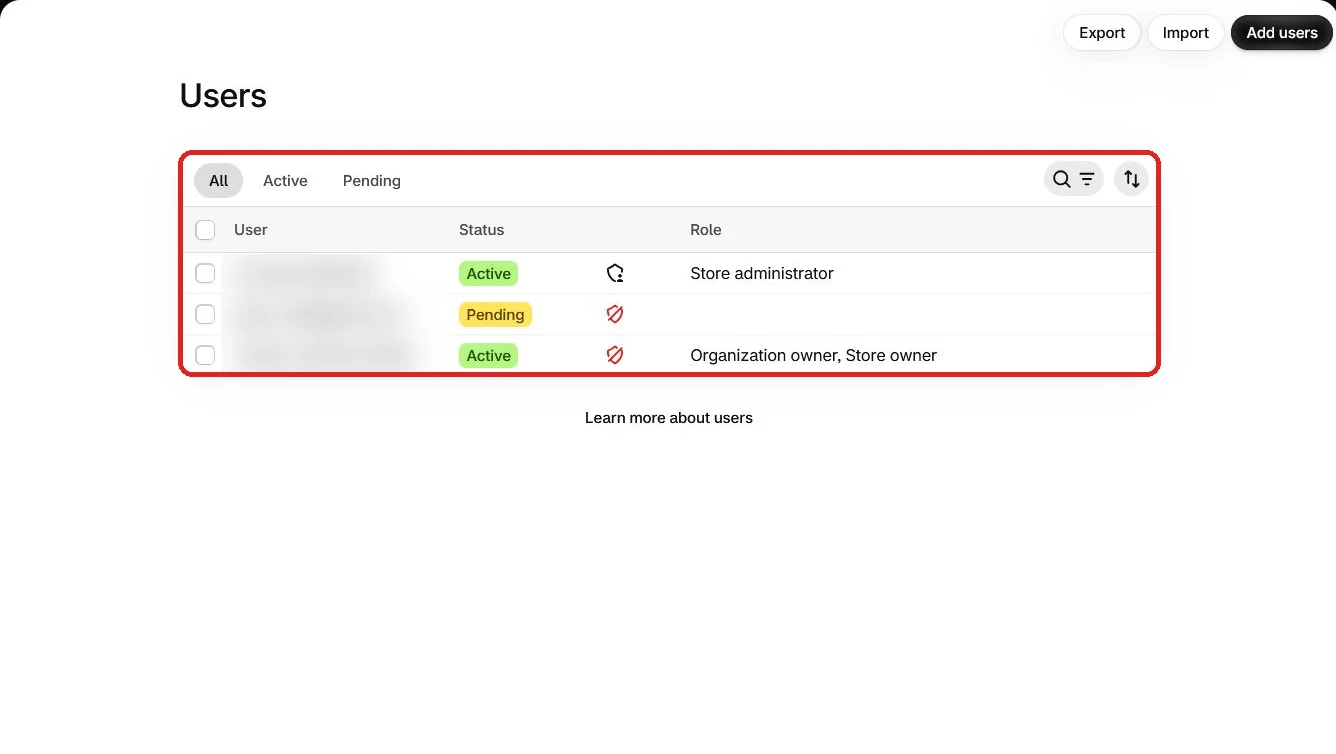
In the Shopify admin, the staff list lives under Settings > Users. The full list of what Grow adds over Basic is on Shopify’s Grow plan page.
Advanced: Up to 15 Staff and Lower Fees
Up to 15 people can have staff accounts on Advanced, and the transaction fee falls to 0.6%. Its card rate is lower again than Grow’s.
Advanced is also the first plan with carrier-calculated shipping included rather than sold as an extra. Shopify’s help page on third-party carrier-calculated shipping confirms which plans carry it. Otherwise Advanced keeps the same 10 inventory locations and the same limited checkout customization as the plans below it.
If your team is five people or fewer and every sale runs through Shopify Payments, Grow already covers your staff. Advanced then has to earn its price through the lower card rate, the included shipping rates and anything else in Shopify’s comparison table you need.
Plus: Full Checkout Control and Unlimited Staff
Full checkout customization belongs to Plus alone, the top tier. It also removes the staff cap entirely, and its transaction fee is the lowest on the ladder at 0.2%. Two differences matter most for stores with physical locations:
- Inventory locations: Plus includes 200, against 10 on every other plan.
- POS Pro: the paid tier of Shopify’s point of sale for in-person selling. Plus includes it for 20 locations, and up to 200 if you use Shopify Payments, while Basic, Grow and Advanced pay for it as an add-on charged per location.
Unlike the three plans below it, Plus shows no discounted yearly rate on Shopify’s pricing page.
Transaction Fees on Shopify Pricing Plans
Every plan charges fees on each sale, and which fee applies depends on how you take payment. With Shopify Payments, whose verification and bank-payout setup we walk through step by step, you pay a card processing rate.
Heads up: Shopify charges the third-party fee on sales you take through an outside provider, on top of whatever that provider charges you. On stores created since May 12, 2025, it also applies to the part of an order paid with store credit or a gift card, even with Shopify Payments, unless the store is on Plus with Shopify Payments as its only provider.
That fee falls from 2% on Basic to 0.2% on Plus, as the table at the top of this page shows. On an illustrative $10,000 a month paid through an outside provider, the Shopify fee alone comes to:
- Basic: $200 a month (2%)
- Grow: $100 a month (1%)
- Advanced: $60 a month (0.6%)
- Plus: $20 a month (0.2%)
Those amounts come before the provider’s own charges, which you pay to the provider separately.
Card processing through Shopify Payments follows the same direction. The online card rate falls as you move up a tier. On every plan below Plus, the in-person rate for sales through Shopify’s point of sale sits below the online rate. Shopify’s comparison table lists the exact rates for each plan.
How Billing Works on Shopify Pricing Plans
Shopify bills your plan on a 30-day cycle by default. Paying yearly instead lowers the effective monthly rate, and the pricing page puts that discount at 25%. As an illustration, a plan listed at $100 a month would work out to $75 a month billed yearly, or $900 for the year against $1,200 paid month by month.
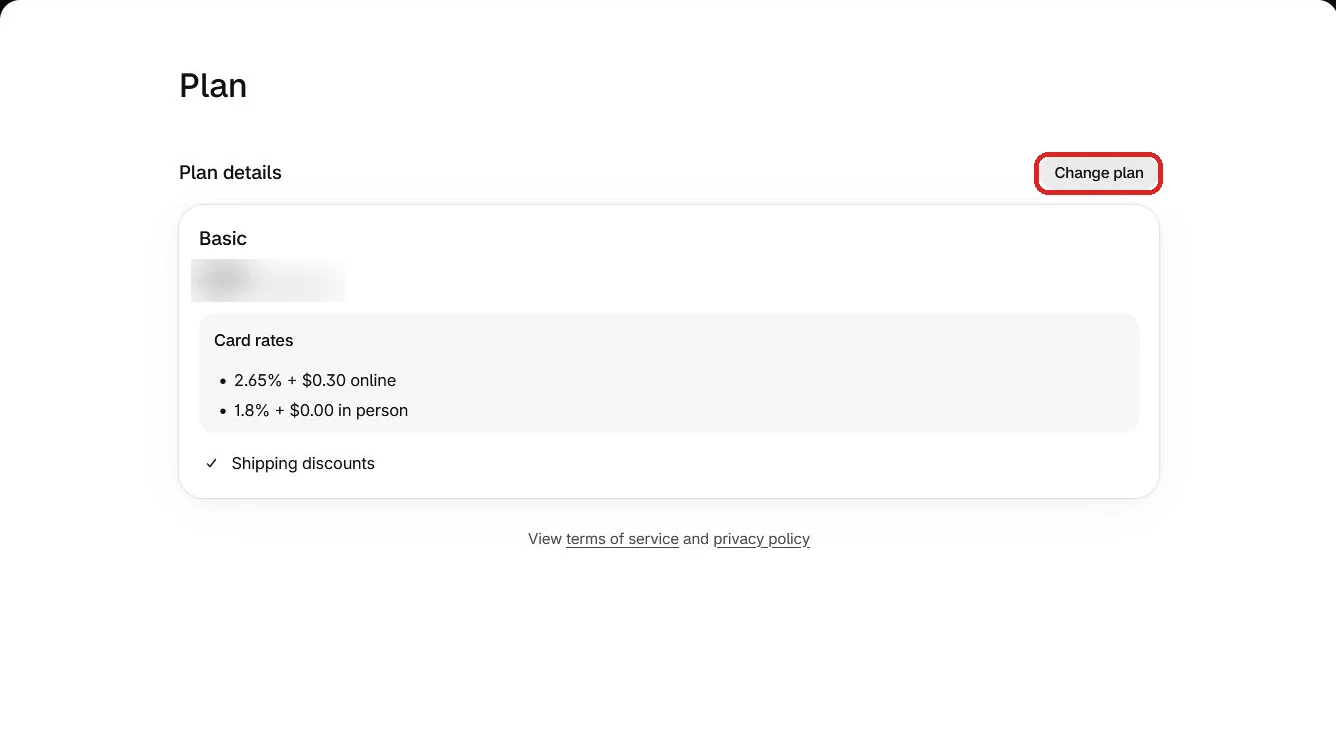
Your plan sits under Settings > Plan in the Shopify admin, along with the option to change it. The pricing overview in Shopify’s help center goes deeper on the billing cycle and yearly billing, and it is also where the store-credit and gift-card fee rule is set out.
The Free Trial and Intro Pricing on a New Shopify Plan
Before you pay for any of the Shopify pricing plans, you get a 3-day free trial, and you do not need a credit card to start it.
After the trial, most plans run at a reduced introductory rate for your first three months, and the plan’s regular rate applies from then on. The trial terms are on the Shopify free trial page, while the introductory rate and how long it lasts appear in the FAQ on the pricing page linked at the top of this article.
Which Shopify Plan Do You Actually Need?
For most beginners opening a first store, Basic is the right place to start among the Shopify pricing plans, because it includes the full store, unlimited products and the custom report builder, and you can move up when you hit its limits. Match your situation to one of these:
- A solo seller testing a product: you get the full store and unlimited products, and running it alone needs no staff accounts, so start on Basic.
- A small business with up to five people in the admin: each person gets a staff account and Shopify’s transaction fee halves, so choose Grow.
- A team of six to 15, a store that wants live carrier rates at checkout, or one whose sales volume passes the breakeven below: the staff cap rises to 15, the shipping rates come built in and the fee drops to 0.6%, so choose Advanced.
- A large business that needs its own checkout, more than 15 staff or more than 10 inventory locations: only one plan offers full checkout customization, unlimited staff and 200 locations, and that is Plus.
- Someone who has not settled on Shopify at all: our comparison of Shopify, WooCommerce and Squarespace sets Shopify’s fee structure against two platforms that are built differently, including one you host yourself.
The fee arithmetic matters most on the step from Basic to Grow. Divide the monthly price gap between two plans by the difference in their fee rates, and you get the monthly outside-provider sales at which the lower fee covers the higher price. A one-point drop multiplies the gap by 100, so an illustrative $40 gap breaks even at $4,000 a month (the real gap is on Shopify’s pricing page).
One step higher, Advanced’s fee sits 0.4 points below Grow’s, so the multiplier rises to 250: each dollar of price gap needs $250 a month in outside-provider sales before the saving covers it. Below that volume, the extra staff accounts or the shipping rates have to justify the move.
If you take every payment through Shopify Payments, the third-party fee touches nothing but store-credit and gift-card amounts, and those only on stores created since May 12, 2025 (Plus waives even that). That leaves staff accounts, shipping and the card rate to decide your upgrade.
Conclusion
Shopify pricing plans run from Basic through Grow and Advanced to Plus. Basic suits a solo seller with no staff, Grow adds up to five staff accounts, Advanced raises that to 15 and cuts third-party fees, and Plus brings unlimited staff and full checkout customization. Most new stores should start on Basic and upgrade when staff or fees demand it.
The 3-day trial, plus the reduced first three months on most plans, lets you test that choice before the regular rate starts.