Two security cameras can both be sold as wireless and work in completely different ways. The word describes how the video gets off the camera, not how the camera is powered. One model may be screwed to an outdoor wall and plugged into an outlet while another runs for months on a battery, and only the battery one keeps recording when the power goes out.
That single piece of vocabulary is where most first camera purchases go wrong, because a buyer comparing two products on two manufacturer websites is often comparing two different things.
This article separates the three types that actually exist, then compares them on the points that decide the purchase: power, what fails during an outage, video quality, where the footage is stored, installation, cost, and how the answer shifts once a home has more than a couple of cameras.
| Type | How it gets power | How it sends video | Suits |
|---|---|---|---|
| Wired | An Ethernet or power cable run to the camera | The same cable, no Wi-Fi involved | Permanent positions, round-the-clock recording, larger setups |
| Wireless | A mains outlet near the camera | Home Wi-Fi | Most homes, where an outlet is within reach |
| Wire-free | A rechargeable battery, sometimes with a solar panel | Home Wi-Fi | Rentals, sheds, gates, anywhere with no power |
Wired, Wireless and Wire-Free Are Three Different Things
Wireless describes the data link. It says nothing about the power supply, and the power supply is what determines whether a camera records continuously, how it behaves in an outage, and whether it can be mounted where there is no electricity.
Three arrangements are sold, and the middle one is the category most buyers end up with without ever naming it.
Wired Cameras
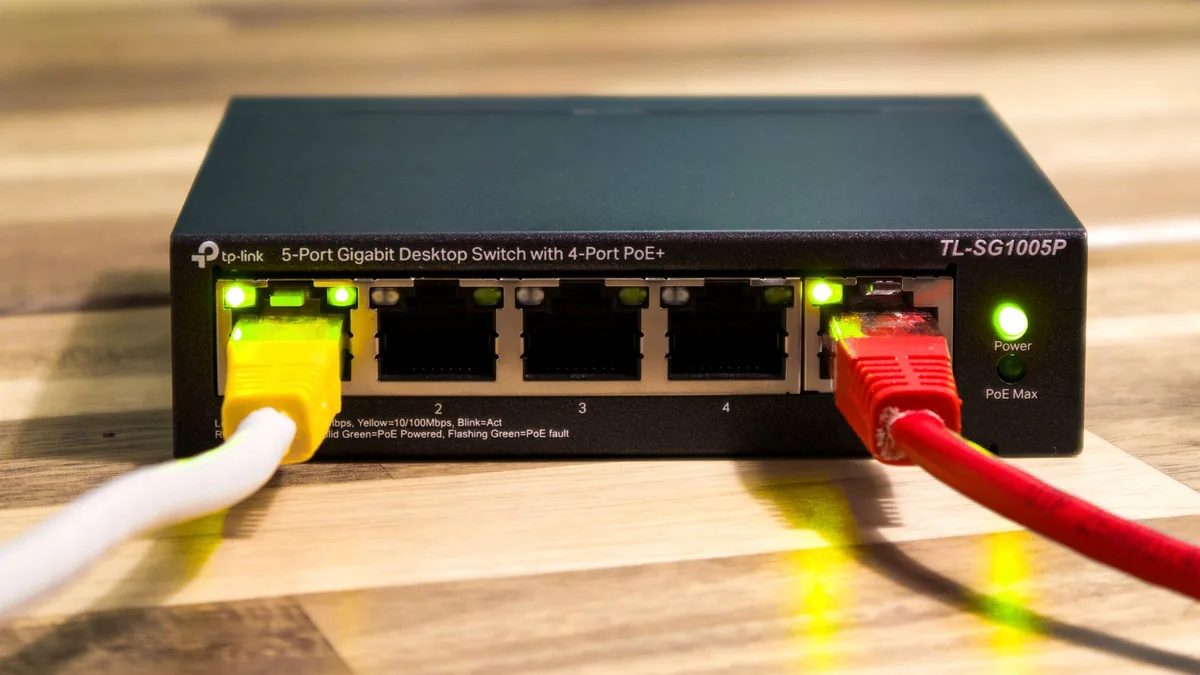
A wired camera carries power and video down a physical cable. The tidiest version is Power over Ethernet, where one network cable does both jobs and terminates at a switch or a recorder in a cupboard. There is no Wi-Fi in the path at all.

Power is not a constraint at this scale. The original 802.3af standard delivers 12.95 W to the device and 802.3at raises that to 25.5 W, several times what a residential camera draws even with infrared illuminators and a heater running. Standard Ethernet runs to 100 meters, or about 328 feet, which reaches almost anywhere on a typical property.
Older systems used coaxial cable to a DVR and plenty are still in service, though new residential installations are almost always network cameras. Reolink, Lorex, Amcrest, Ubiquiti, and Swann are the names that come up most often.
Wireless Cameras
A wireless camera plugs into a mains outlet and sends video over the home Wi-Fi network. No cable runs back to a recorder, but a cable still runs from the camera to a socket, which is the detail the label leaves out.

Constant power is the important consequence. A camera on mains power can record continuously rather than in clips, keep its radio awake, and hold a live stream open without draining anything. That puts it much closer to a wired camera in behavior than to a battery one.
Wi-Fi is genuinely required here, though only for part of the job. Alerts, live viewing, and cloud uploads all stop without it, while a camera recording to a memory card keeps recording regardless. Tapo, Wyze, Google Nest, and Ring all sell plug-in models across a wide price range.
Wire-Free Cameras
A wire-free camera has no cable of any kind. It runs on a rechargeable battery, sometimes topped up by a small solar panel, and it can be mounted anywhere a bracket will hold.
The battery sets the rules. Continuous recording would flatten it inside a day, so these cameras sleep and wake on motion, recording short clips around each event. Manufacturers quote recharge intervals in months, and those figures are measured in mild conditions, which matters more than it sounds.
What wire-free buys is placement freedom, and that is a genuine advantage rather than a consolation. A gate, a shed, a driveway, or a rented apartment wall are all straightforward. Arlo, Ring, eufy, Blink, and Tapo cover this category.
Note: the labels are not applied consistently across the industry. Some listings use wireless to mean battery powered and some use it strictly to mean Wi-Fi. The reliable check is the power section of the specification sheet, which will name either a battery capacity or a DC input.
Video Quality and Recording Around the Clock
Resolution is no longer the dividing line. All three types are sold in 2K and 4K, and a modern battery camera can produce an image that looks as good as a wired one in a still frame.
The difference shows up in sustained bitrate, which is what a camera can keep up over hours rather than seconds. Recording 24/7 at high quality needs constant power and a link that can carry it, and that combination in practice means a cable.
Rough figures are enough for planning:
- 1080p, continuous, H.264 compression: somewhere around 2 to 4 Mbps per camera.
- 4K, continuous: anywhere from 6 to 20 Mbps, depending on how much movement is in the scene.
- H.265, the successor compression standard: roughly half the bitrate of H.264 for comparable quality, which is why a newer camera is easier on a network than an older one at the same resolution.
Wire-free cameras carry one limitation worth knowing before purchase rather than after. Because they sleep between events, the first second or two of an incident can be missed while the camera wakes and starts recording. Manufacturers reduce this with a small rolling buffer, and none of them removes it entirely. It is a consequence of the design rather than a defect in a particular model.
Where the Footage Actually Goes
Storage decides what survives an outage, what a subscription is really buying, and how far back the recording goes. It is a separate choice from camera type, though the two are linked.
- A memory card in the camera keeps recent footage locally and costs nothing after purchase. Common on wireless and wire-free models, and vulnerable to the camera itself being stolen.
- A local recorder or network storage holds weeks or months from several cameras at once and is the normal arrangement for wired systems. It keeps working with no internet connection.
- The manufacturer’s cloud stores clips offsite, so the recording survives even if the camera is destroyed, and it is the part a monthly subscription usually pays for.
Offsite storage and local storage fail in opposite situations. Cloud storage survives a stolen camera and fails during an internet outage, and local storage does the reverse, which is why a setup that matters often uses both.
Installing Them, and What Renting Rules Out
The effort involved separates the three types more sharply than any specification does. A wire-free camera is a bracket and a phone app, and it can be up in minutes. A plug-in camera adds the requirement of an outlet within reach, and outdoors that often means an electrician.
A wired camera means running cable, and that is the point where a DIY project becomes a job. The cable has to reach from the mounting position back to a switch or recorder, usually through an exterior wall, a roof space, or under floorboards. Professional installation for a small system commonly runs a few hundred dollars, and it is money spent once.
Renting narrows the options, though several arrangements still work:
- Wire-free cameras on adhesive or clamp mounts leave no holes.
- Plug-in indoor cameras need nothing but a socket and a shelf.
- Anything hardwired generally needs the landlord’s written agreement, and often will not be worth the conversation.
Note: leases frequently carry terms covering fixtures, alterations, and sometimes cameras specifically, so reading the lease before buying saves an awkward conversation later. A camera pointed at a shared hallway or a neighboring property raises questions that are easier to settle before installation than after a complaint.
One practical point applies to owners and renters equally. The first mounting position is often the wrong one, because glare, overhanging branches and the angle of the driveway only reveal themselves after a few days of footage. A wire-free camera can be moved in a minute, and a wired one cannot, which is a good argument for living with a temporary camera in a position before committing a cable to it.
What Each Route Costs
Hardware prices overlap heavily across the three types, so the useful comparison is the extras that each route adds after the camera itself.
| Route | Typical hardware | Extra cost to expect |
|---|---|---|
| Wired (PoE) | $60 to $200 per camera | PoE switch or injector, cable, and installation labor |
| Wireless plug-in | $30 to $150 per camera | An outdoor-rated outlet if one is not already there |
| Wire-free | $50 to $200 per camera | Spare batteries, and a solar panel per camera if fitted |
A wired system carries the highest starting cost and the lowest running cost, since there is nothing to recharge and nothing that has to be replaced on a cycle. Wire-free is the reverse. Neither difference is large enough on its own to decide a purchase, which is why the questions above it in this article matter more.
All figures are US pricing in 2026 and vary by brand and market.
How Many Cameras Changes the Answer
The right answer for one camera is often the wrong answer for six, and the count is the variable buyers underestimate most. Cameras share the Wi-Fi network with phones, televisions, and everything else in the house, so the ceiling arrives sooner than the raw bandwidth numbers suggest.
- One to three cameras. Wi-Fi handles this comfortably. Any of the three types works, and the decision comes down to power and mounting.
- Four or five cameras. Congestion starts to show, especially on 4K or continuous recording. Most wire-free cameras are 2.4 GHz only, which reaches further through walls but sits on the busiest band in the house.
- Six or more cameras. A wired backbone with a recorder becomes the sensible answer. It removes the cameras from the Wi-Fi network entirely and gives them a storage pool that is not billed monthly.
Two separate limits are worth checking before buying the fourth camera. The Wi-Fi link has to carry every camera at once alongside everything else in the house, and for cameras that upload to the cloud, the internet connection’s upload speed has to carry them as well. Either one approaching capacity will be felt elsewhere.
What Each Type Does When Something Goes Wrong
A specification sheet describes a camera at its best. The decision is usually settled by how it behaves at its worst, and the four situations below are the ones that separate the three types.
A Power Cut
A power cut takes out more than the camera. The router goes down with it, and so does any recorder or hub, which means a battery camera that is still happily awake has nowhere to send an alert.
- Wired and plug-in cameras stop completely, including PoE cameras once the switch loses power.
- Wire-free cameras keep running on battery, but alerts and cloud uploads stop until the network returns.
- Any camera with local storage keeps recording as long as the camera itself has power.
An uninterruptible power supply sized for the router, the modem and the recorder covers the short outages that make up most of them, and it is a cheaper fix than changing camera type.
An Internet Outage
An internet outage is a different failure, and the two are easy to treat as one. The house still has electricity, the Wi-Fi still works inside, but nothing can reach the manufacturer’s servers.
Cameras that record only to the cloud lose the recording. Cameras that record to a memory card or a local recorder keep everything and catch up later. Remote viewing from a phone stops in both cases, though a local recorder can still be viewed from inside the house.
This is the strongest practical argument for a wired system with its own recorder, which does not need internet access to do its main job at all.
Cold Weather
Battery life quoted on a box is a room-temperature number. Lithium-ion cells lose capacity, voltage and usable power as the temperature falls, and the loss becomes obvious once conditions are below freezing. Research on low-temperature behavior describes the electrolyte itself beginning to freeze somewhere between minus 20 and minus 40 degrees Celsius, roughly minus 4 to minus 40 Fahrenheit, at which point a cell holds a small fraction of its rated capacity or stops working.
The practical effect in a cold climate is that a wire-free camera advertised at four months between charges may need charging every few weeks through winter, which is exactly when the daylight is short and the camera matters most. Wired and plug-in cameras are unaffected, because nothing in them is running on a battery.
Solar panels help less than expected in the same season, since the shortest days and the coldest weeks arrive together.
Deliberate Interference
Wireless and wire-free cameras depend on a radio link, and that link can be attacked. A deauthentication attack or a crude 2.4 GHz jammer pushes the camera off the network, after which it cannot raise an alert or upload anything to the cloud.
This is not theoretical. Police forces in the United States have issued public warnings after burglaries in which jamming equipment was used to knock out connected cameras, and the hardware is cheap and easy to obtain through unlawful channels.
Heads up: operating, marketing, or selling jamming equipment is prohibited under federal law in the United States, with no exemption for use in a home or a vehicle. Penalties include fines, seizure of the equipment, and criminal sanctions.
Two things keep this in proportion. The first is the base rate: about 1.01 percent of US households experienced a burglary or trespassing in 2024 according to the Bureau of Justice Statistics report Criminal Victimization, 2024, and jamming is a small subset of that. The second is that the answer is storage rather than alarm. A camera writing to a memory card keeps its footage whether or not the radio link survives, and a wired camera on a local recorder is not exposed to this attack at all.
Which One to Choose
Situations decide this more cleanly than product comparisons do. Our guide to the best home security cameras is organised the same way, one pick per situation rather than one overall winner.
| The situation | The type that fits | Why |
|---|---|---|
| Renting an apartment | Wire-free | No drilling, no wiring, and it moves out with the tenant |
| Covering the front approach of an owned house permanently | Wired | The position will not change and the camera never needs recharging |
| No outlet anywhere near the mounting point | Wire-free | Nothing else works there without an electrician |
| A shed, gate, or detached garage with no power | Wire-free, with a solar panel | The only option that reaches, and daylight covers most of the load |
| A record of everything rather than a record of events | Wired, to a local recorder | Continuous recording needs constant power and a stable link |
| Six or more cameras planned | Wired backbone | Keeps the cameras off the Wi-Fi network and the storage off a subscription |
| One indoor camera to watch a room or a pet | Wireless plug-in | Simplest possible setup where an outlet already exists |
Most households end up with a mix, and that is a sound outcome rather than a compromise. A wired camera on the main approach, a plug-in camera indoors, and a wire-free camera on the shed is a common and sensible shape. Cameras also sit alongside doorbells, entry sensors and locks in a wider setup, and the trade-offs across every category of home security technology follow the same logic as the ones here.
Whichever type is chosen, the camera is still a computer on the home network. Changing the default password during setup and putting cameras on a separate network segment such as the router’s guest network are the two measures that cover most of the risk, and the US Cybersecurity and Infrastructure Security Agency publishes plain guidance on securing internet-connected devices.
Conclusion
Wired cameras run power and video down one cable, record continuously, and keep working when Wi-Fi drops, but they must be installed. Wireless cameras plug into an outlet and send video over Wi-Fi. Wire-free cameras run on batteries and record only on motion. Wired suits permanent positions, wire-free suits rentals and places with no power.
The choice comes down to what is behind the mounting point rather than what is on the specification sheet. Where there is power and permission to run a cable, wired is the more capable option and stays that way as the system grows. Where there is neither, wire-free is the only thing that will work at all, and pairing it with local storage covers the failure modes that matter most.